
Account
Maintenance windows
Use Maintenance to schedule maintenance windows on checks and status pages. Any workspace member can create, edit, or cancel a window. API keys can call the same /v1/maintenance-windows routes. From an agent, the MCP maintenance tools default notify_subscribers to false, unlike these routes.
Schedule a window
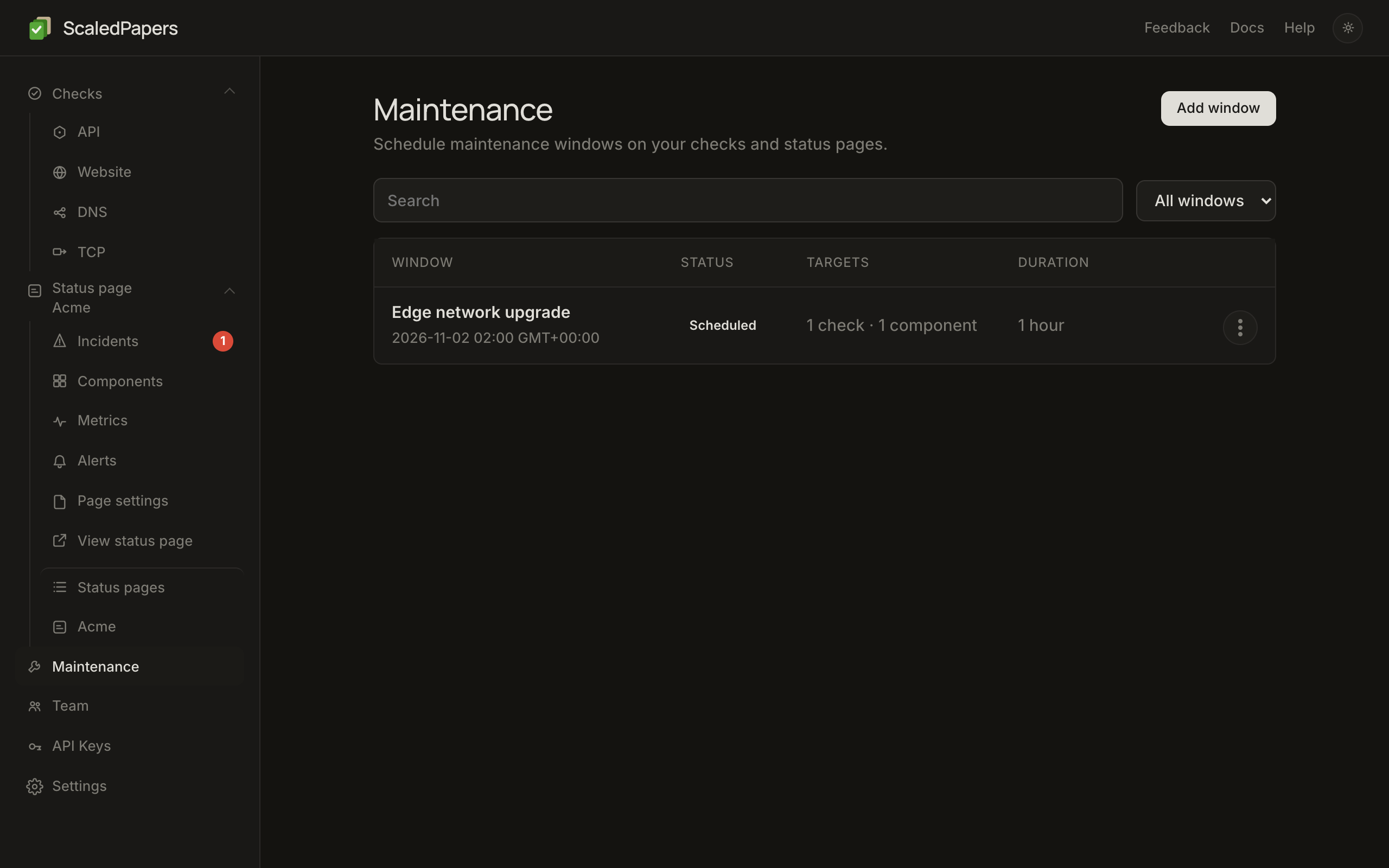
- Open Maintenance. Lead: Schedule maintenance windows on your checks and status pages.
- Click Add window. The list uses the same table as API checks.
- Name the window.
- Set the start date and time, duration (minutes, hours, or days), and timezone.
- Optionally check Repeat weekdays for a weekly window.
- Select associated API, Website, DNS, and TCP checks and/or status page components.
- If any public component is targeted, Notify subscribers is on by default. Uncheck it to skip mail.
- Click Schedule window. Open a row to edit it. The kebab Cancel and delete removes an active or scheduled window and emails subscribers that it was cancelled (when notifications are on). Cancelling deletes the window; nothing is kept in a cancelled state. Ended windows have Delete, which removes them without emailing anyone.
Heartbeats are coming soon and cannot be added yet.
A linked check and its public component should both be selected. That pauses the check and shows the component as Under maintenance.
What it does
During an active window the engine pauses the check: it does not enqueue probes and moves next_check_at to the end of the window, so the same check is not reclaimed every tick. Because probes do not run, maintenance does not open a new outage. Existing open outages stay open.
On the public status page, targeted components show Under maintenance. When a window is active, visitors see Affected components and how long it lasts (remaining duration and Until the end in the page time zone). The banner is Under maintenance only when that list is not shown. Open incidents still win over maintenance and list above it. Maintenance time is not counted as outage or degraded uptime.
Notify subscribers
Notify subscribers emails confirmed status-page subscribers (all-components or matching components) for scheduled, updated, and cancelled windows. The updated email goes out only when an edit changes the time, duration, recurrence, weekdays, timezone, or what the window covers; renaming a window or changing Notify subscribers alone sends nothing. It is off and hidden for engine-only checks with no public component. Engine-only windows never send public mail, even if the API sends notify_subscribers: true. Maintenance mail is not an incident.
API
GET, POST /v1/maintenance-windows, GET, PATCH, DELETE /v1/maintenance-windows/{id}. Send endpoint_ids and status_components (site_slug plus component_id or component_public_id). A check linked to a status page component brings that component with it, so the page shows the maintenance. notify_subscribers defaults to true when a status component is present. The value is saved on the window, so GET returns what you sent, and a later edit or cancel follows it unless the call sends its own. See Call the API.